Badges, banners and posts, ready to use.
The marketing kit for storefront partners. Approved badges for We Know Training, Danatec and Fleet Safety International, social graphics, email banners, and the starter guide that explains how to use them. Take what you need.



Start here
The Reseller Partner Marketing Starter Guide.
One PDF holding the rules and the ready-made copy: how the brands stack up, how the badges may be used, and the social and email text you can send this week.
- Why the guidelines exist, and the brand hierarchy they protect.
- Logo usage: the approved badges, visual standards, placement, clear space, minimum sizing, and where a badge may and may not appear.
- File formats, and which one to reach for on screen and in print.
- Partnership statements: approved phrasing, with examples of how to reference us in running text.
- Starter content: social post copy, social image templates, email announcement copy, and email banners.
Reseller Partner Marketing Starter Guide
Read it once before you publish anything with our marks on it. Every rule further down this page is in here too, with the worked examples.
Partner badges
Three brands, two lockups, three file formats.
The wide lockup suits headers and email footers. The tall one suits sidebars and print. Take SVG or PNG for screen, EPS for anything a printer will handle.
We Know Training
Partner badgeThe badge for the partnership itself, and for the platform behind your storefront. It reads Storefront Partner.

Danatec
Publisher badgeThe publisher badge to use where you are selling Danatec courses. It reads Course Reseller.

Fleet Safety International
Publisher badgeThe publisher badge to use where you are selling Fleet Safety International courses. It reads Course Reseller.











EPS files are the print masters and run to roughly half a megabyte each. SVG and PNG are a few kilobytes.
Email banners
One banner, two widths.
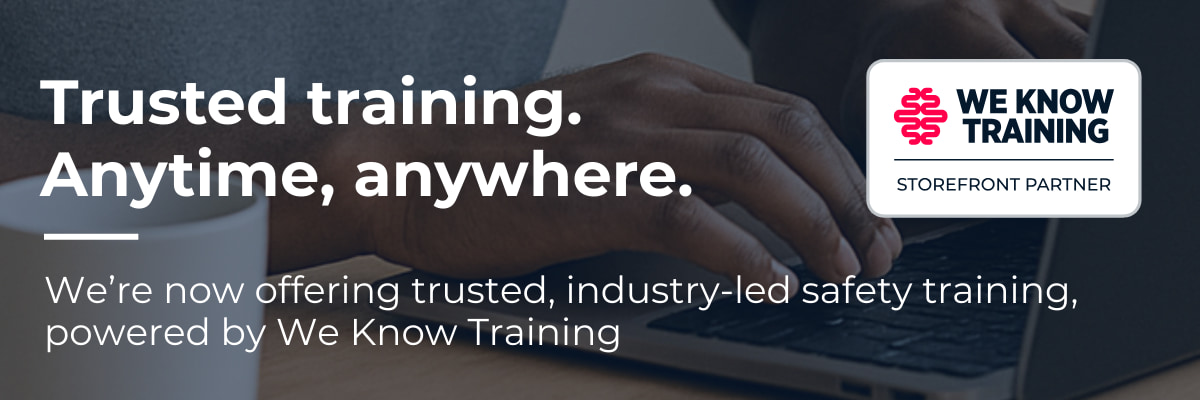
Drop it at the top of a launch announcement or a course promotion. The starter guide has the subject lines and the body copy that go under it.

Partner announcement banner
The 1200 pixel version is for a full width email template. The 600 pixel version is for a narrow one, and for anything that has to hold up on a phone.

Usage rules
What you may do with the marks.
The short version of section three and section four of the starter guide. If a case is not covered here, the PDF has the longer answer.
Your brand leads
The storefront is marketed under your name and your logo. Our badges sit in support of it, smaller, and usually in a secondary position.
RGB for screen, CMYK for print
SVG and PNG are RGB, for websites, email, Canva and Word. EPS is CMYK, for anything going to a printer. SVG and EPS scale up and down without losing quality. A PNG should only ever be scaled down.
Do not rebuild them
No recolouring, no cropping, no stretching, no added taglines, translations or effects. Keep the border, keep the aspect ratio, and use the full colour version wherever you can.
Clear space and minimum size
Leave clear space around a badge equal to at least the height of the W in We Know Training, or the equivalent in a publisher badge. Keep it 60 px high on screen. In print, 1 cm high for a wide badge and 1.5 cm for a tall one.
Where a badge belongs
Your marketing website, social posts promoting courses, email to your learners, and flyers, posters and ads for your storefront. Not on letterhead, business cards or other corporate identity material, and not on products or merchandise without written approval.
How to word it
Approved phrasing includes “In partnership with We Know Training” and “Powered by We Know Training”. Avoid anything that claims exclusivity, and use course names exactly as they are given to you.
Need something that is not here: another size, another format, or copy for a campaign you are planning? Ask us. Send us the details or write to sales@wkt.ca.
Selling something we have not written copy for?
Tell us what you are promoting and who you are promoting it to. We would rather build the asset with you than have you build it from parts.
Social graphics
Two posts, cropped for every feed.
Both designs carry the same four lines and the partner badge. Each one ships portrait, square and landscape, so a single post covers Instagram, Facebook, LinkedIn and X without a redraw.
Design one
Square shown. Lead with your own logo, then add ours.
Design two
Square shown. Lead with your own logo, then add ours.